Agentic Studio Overview
Learn what Agentic Studio is, how it works alongside the classic LinearB experience, and where to start.
Agentic Studio is currently in beta. Reach out to your CSM to request access or share feedback.
Agentic Studio is the assistant-centric LinearB experience. Ask questions about your engineering data and get an answer as a metric or chart, build your own metrics with AI, and keep what matters on dashboards.
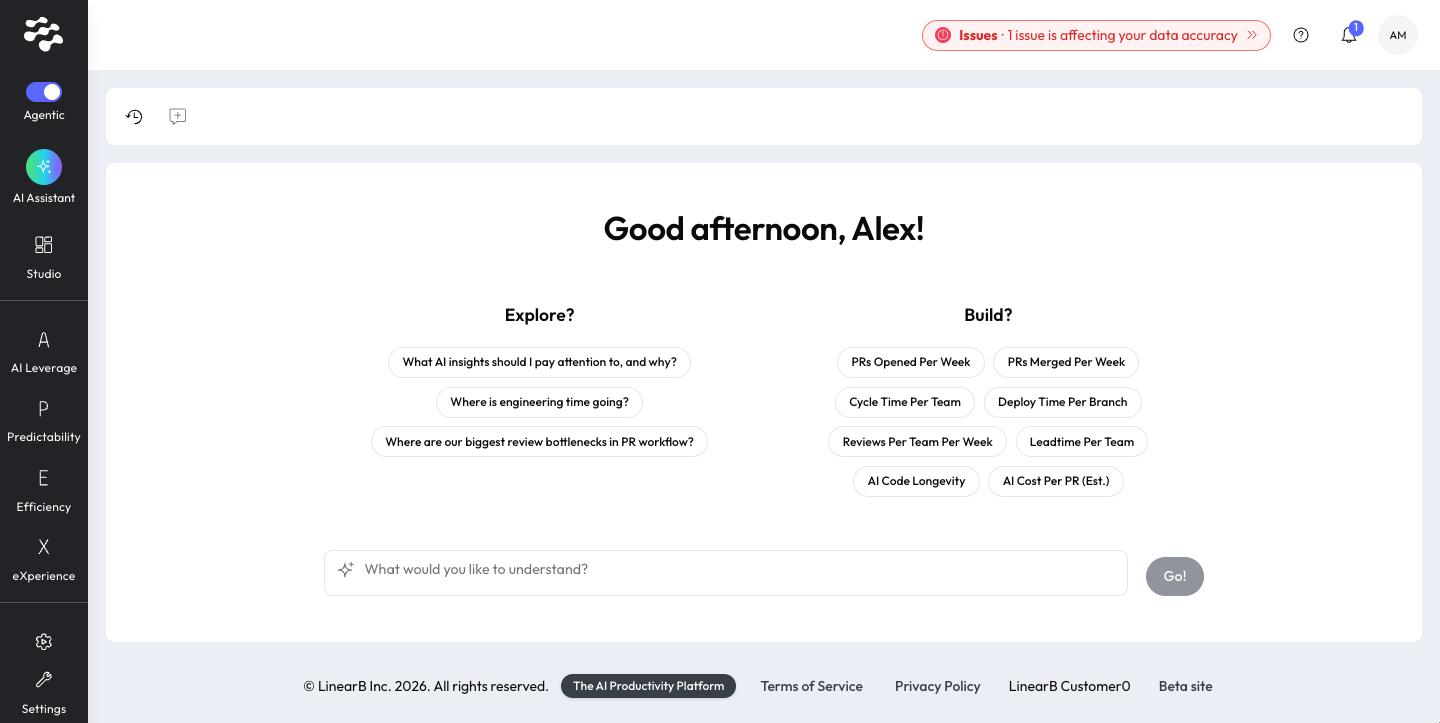
Agentic Studio runs in the same app as the Classic LinearB experience. Classic pages remain available inside Agentic Studio, and you can switch back to Classic at any time.
Summary
- Start from the AI Assistant: ask a question in Explore mode, or create a metric with AI in Build mode.
- Open LinearB Catalog dashboards such as AI ROI, Engineering Health, and Software Factory.
- Create your own Personal dashboards, clone any dashboard, favorite the ones you use, and share them with your organization.
- Reach Classic pages from the menu bar, grouped under AI Leverage, Predictability, Efficiency, and eXperience.
Key concepts
Term | What it means |
AI Assistant | The conversational AI of Agentic Studio and your home page. It answers questions (Explore) and builds metrics and widgets with you (Build). |
Metric | A named, reusable measurement over your engineering data, calculated for a selected team and time period. |
Widget | A metric shown in a chosen widget type, such as a line chart, bar chart, or table. |
Dashboard | A named group of widgets. |
LinearB Catalog | Official dashboards and metrics curated by LinearB. |
Personal | Dashboards and metrics you created. |
Classic page | A page of the Classic LinearB experience, opened inside Agentic Studio. |
See the full Agentic Studio glossary.
Recommended path
- Open Agentic Studio. You land on the assistant home.
- Ask a question, or pick an Explore or Build starting point.
- Open Studio and explore a LinearB Catalog dashboard.
- Create your own dashboard or clone one, and build a widget.
- Find the Classic pages you use in the menu bar.
In this section
- Switch between Agentic Studio and Classic
- Navigating Agentic Studio
- What's changed from Classic
- Explore and Build modes
- Metrics in Agentic Studio
- Agentic Studio and the MCP Server
- Agentic Studio FAQ
- Troubleshooting Agentic Studio
- What's new in Agentic Studio
Need help with Agentic Studio? Contact support@linearb.io or visit the LinearB Help Center.
How did we do?
