Agentic Studio Availability and Settings
Agentic Studio is available to selected organizations. Company Admins can turn it off or on for the whole organization in Company Settings.
The Agentic Studio setting controls whether users in your organization can use Agentic Studio. It is an organization-wide setting.
New to Agentic Studio? Start with Agentic Studio Overview.
Availability
Agentic Studio is currently available to selected organizations. LinearB turns it on for your organization. To request access, contact your LinearB Customer Success Manager or support@linearb.io.
When Agentic Studio is on for your organization, every user can use it and switch between Agentic Studio and Classic. See Switch between Agentic Studio and Classic.
Before you begin
Verify that you have:
- Company Admin access in LinearB.
- Access to your organization's Company Settings.
Turn Agentic Studio off
If your organization prefers not to use Agentic Studio for now, turn it off:
- Go to Settings.
- In Company Settings, select the General tab.
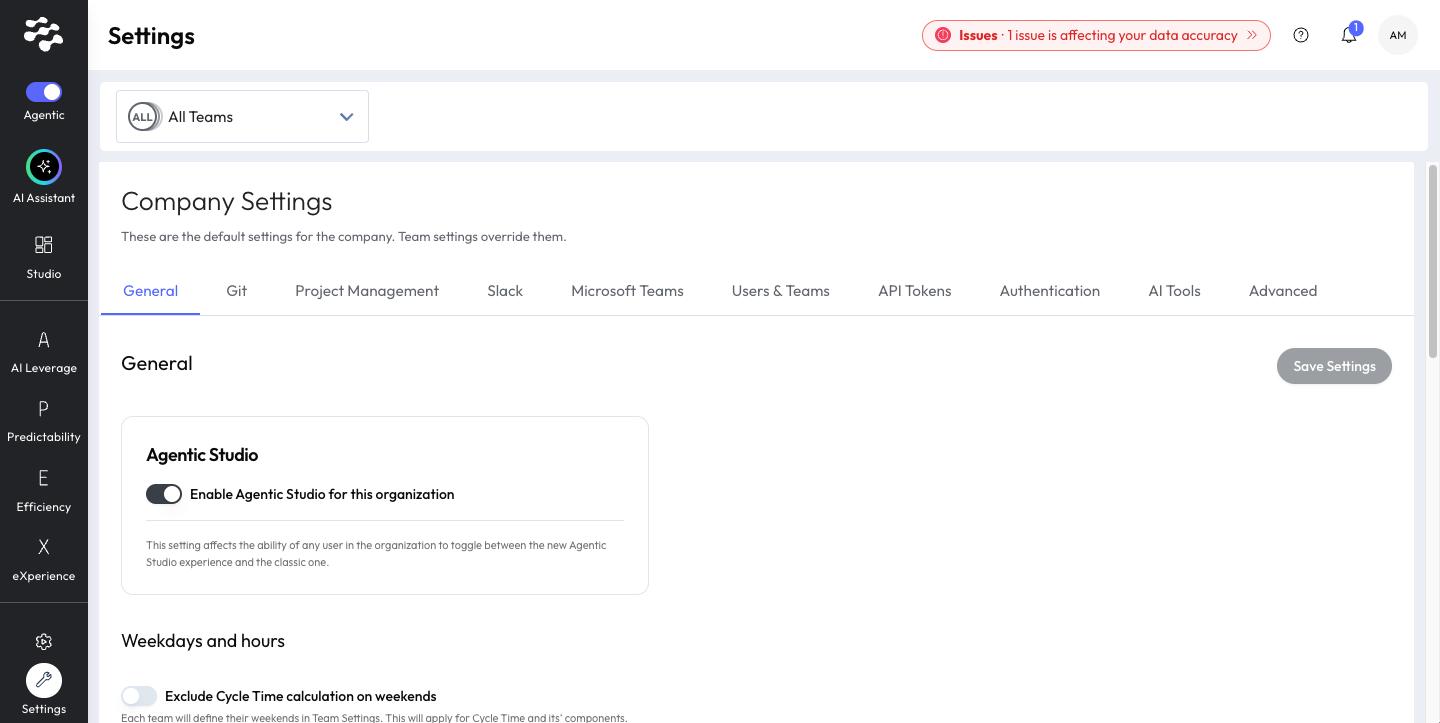
- In the Agentic Studio section, turn off Enable Agentic Studio for this organization.
- Click Save Settings.
When Agentic Studio is off, the Agentic switch is hidden for every user, including admins, and everyone uses Classic.
Turn Agentic Studio back on
- Go to Settings → Company Settings → General.
- In the Agentic Studio section, turn on Enable Agentic Studio for this organization.
- Click Save Settings.
The section explains that this setting affects the ability of any user in the organization to switch between Agentic Studio and Classic.
AI Services and Agentic Studio
The AI Assistant requires LinearB AI Services. If AI Services is off, users in Agentic Studio can still use dashboards, but the assistant and Build with AI are not available, and users land on the dashboard library.
FAQs
Is this a personal preference?
No. The Agentic Studio setting applies to the entire organization. Each user switches between Agentic Studio and Classic separately, from the menu bar.
Is anything lost if we turn Agentic Studio off?
No. Personal dashboards and metrics are kept, and they are available again when Agentic Studio is turned back on.
Related articles
Need help with Agentic Studio? Contact support@linearb.io or visit the LinearB Help Center.
How did we do?
