Agentic Studio and the MCP Server
Use LinearB Catalog dashboard widgets from external AI agents through the LinearB MCP Server.
The LinearB MCP Server (Model Context Protocol) uses the same tools as the Agentic Studio AI Assistant. External AI agents, such as Claude or Cursor, can use it to find and run LinearB Catalog dashboard widgets.
New to Agentic Studio? Start with Agentic Studio Overview.
What you can do through the MCP Server
- Search LinearB Catalog widgets.
- Run a catalog widget for a team and time period.
- Look up your teams, users, team iterations, and connected developer tools.
Not available through MCP or the API
- Personal dashboards and custom metrics built in Agentic Studio.
- LinearB Catalog metrics through the public API.
Example: ask Claude for cycle time per team
With Claude connected to the LinearB MCP Server, ask a question in plain language, for example: “Please provide me cycle time per team for DataBees from LinearB.” Claude finds the team, retrieves the cycle time breakdown (coding, pickup, review, and deploy) for the team and its sibling teams, and summarizes what stands out.
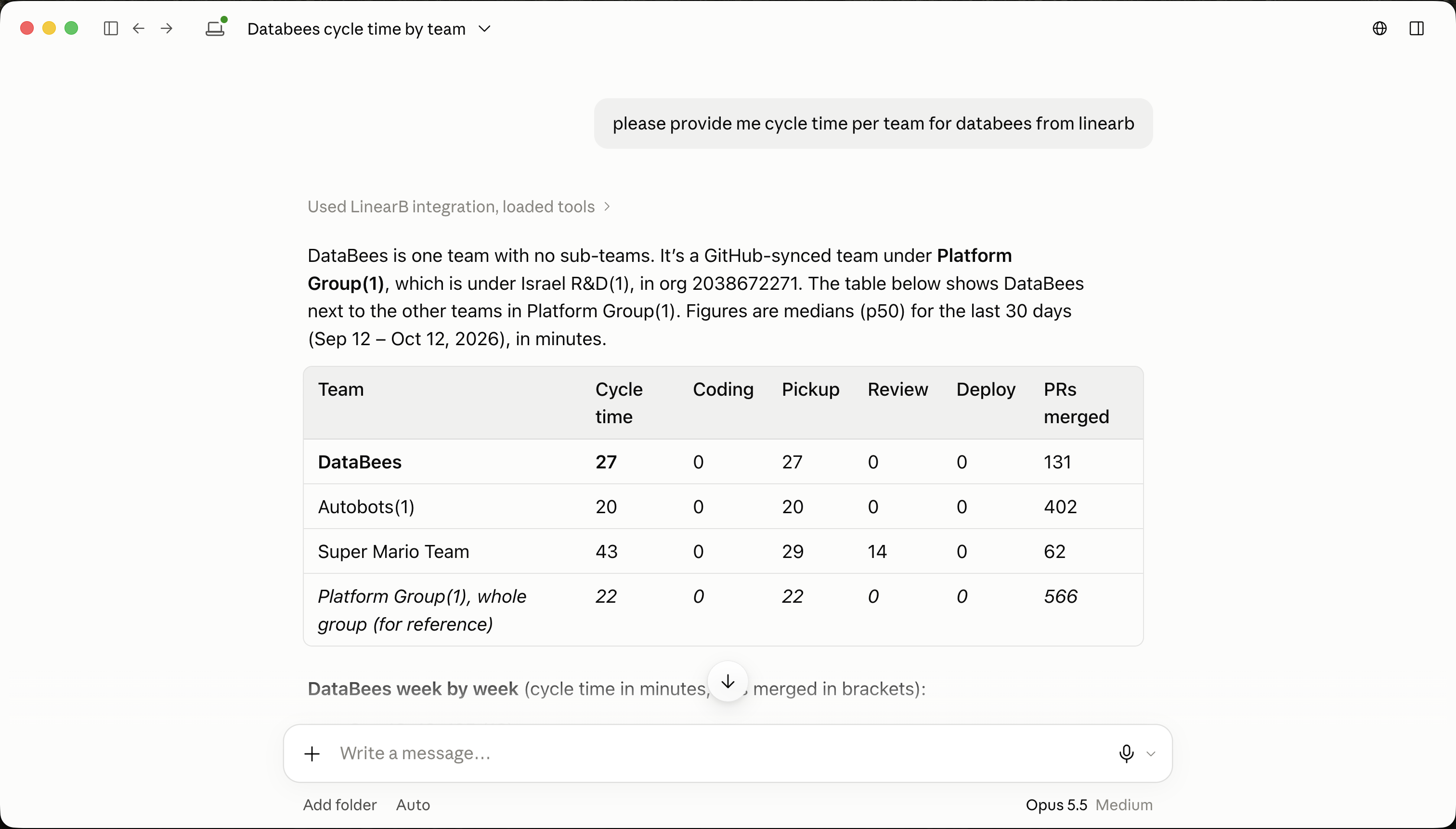
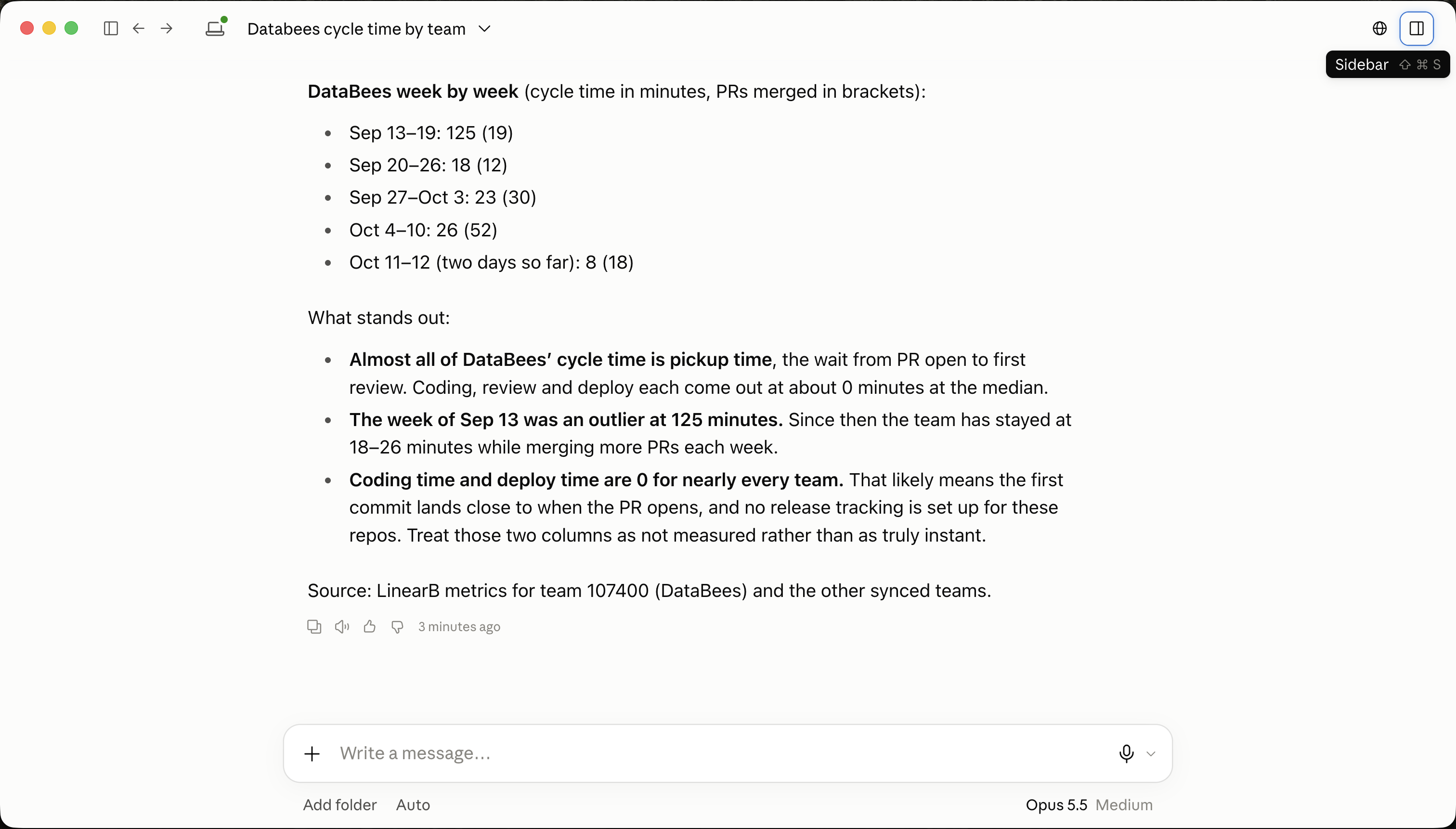
As with any AI-generated answer, verify key numbers in LinearB before you share them.
Get started
Related articles
Need help with Agentic Studio? Contact support@linearb.io or visit the LinearB Help Center.
How did we do?
