The Assistant Home
The assistant home is where you land in Agentic Studio: ask a question, pick an Explore or Build starting point, or reopen one of your conversations.
When you open Agentic Studio, you land on the assistant home: the full-page AI Assistant. Ask a question about your engineering data, start building a metric, or reopen an earlier conversation.
New to Agentic Studio? Start with Agentic Studio Overview.
Open the assistant home
- Open LinearB while in Agentic Studio.
- Click the logo in the menu bar.
- Select AI Assistant in the menu bar.
What you see
- A greeting with your name.
- Starting points under Explore? and Build?.
- The chat input, What would you like to understand?, with the Go! button.
- The Chat history and New chat icons at the top left.
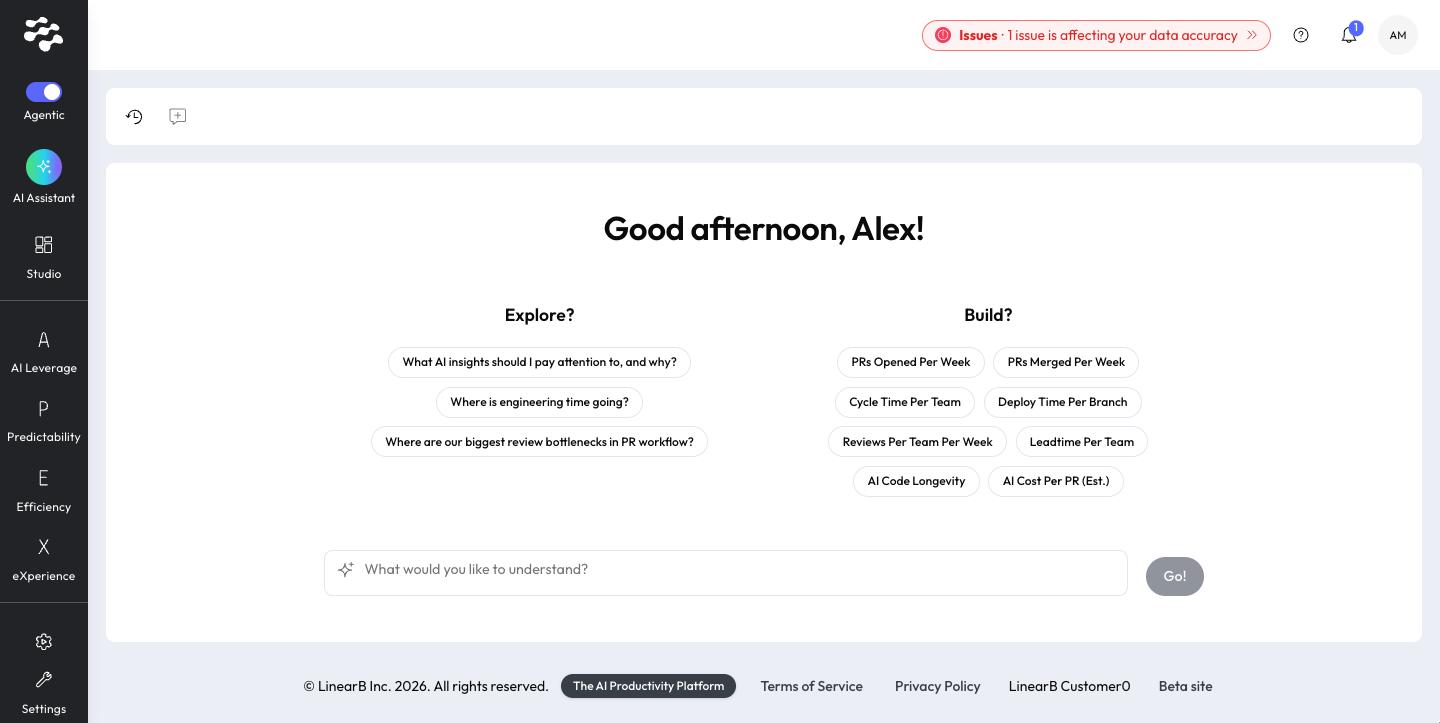
Starting points
Group | What it contains | What happens when you pick one |
Explore? | Example questions about your organization, such as How is the use of AI impacting our velocity? | A new conversation starts in Explore mode with that question. |
Build? | LinearB Catalog metrics to build with, such as Cycle Time Per Team or AI Code Longevity. | The builder opens for that metric. See Build a widget. |
Starting points are the same for every user.
Ask a question
- Type your question in What would you like to understand?.
- Press Enter or click Go!.
A new conversation starts on the same page. See Explore and Build modes for the kinds of answers you get.
Rate any answer with thumbs up or thumbs down, and optionally add a reason. Your feedback helps LinearB improve the assistant.
Your conversations
- Select the Chat history icon to open the History panel on the left. It lists your conversations by date.
- Select a conversation to reopen it.
- Select the New chat icon to return to the greeting and starting points.
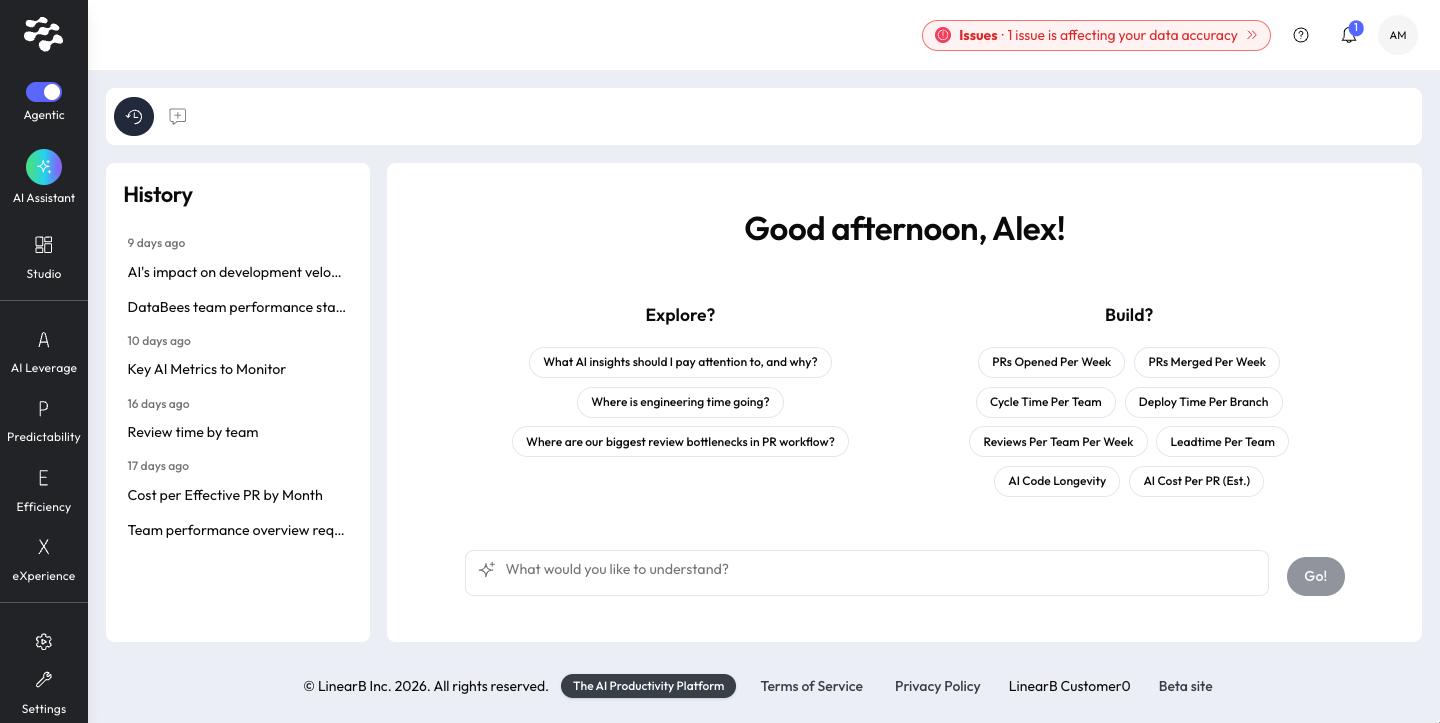
Need help with Agentic Studio? Contact support@linearb.io or visit the LinearB Help Center.
How did we do?
