Navigating Agentic Studio
Find your way around Agentic Studio: the menu bar, Classic pages under AI Leverage, Predictability, Efficiency, and eXperience, and Help.
Agentic Studio uses one navigation for its own pages and for Classic pages.
New to Agentic Studio? Start with Agentic Studio Overview.
Menu bar
The menu bar is the vertical navigation on the left.
Menu entry | What it contains | Type |
Agentic | The switch between Agentic Studio and Classic. See Switch between Agentic Studio and Classic. | |
AI Assistant | Your home: the full-page assistant. The logo opens it too. | Agentic Studio |
Studio | The Dashboards library. | Agentic Studio |
AI Leverage | AI Insights, AI Analytics | Classic pages |
Predictability | Project Forecasting, Project Delivery, Resources Allocation, Investment Strategy | Classic pages |
Efficiency | Team Monitor (the former Home page), Iterations, Team Activity, Git Activity | Classic pages |
eXperience | Goals, Coaching, Surveys | Classic pages |
Automations | Automations, Playground (Beta) | Classic pages |
Settings | Company and personal settings | Classic pages |
Select a group (AI Leverage, Predictability, Efficiency, eXperience, Automations) to open its list of pages. Help is the ? icon in the top-right corner of the page.
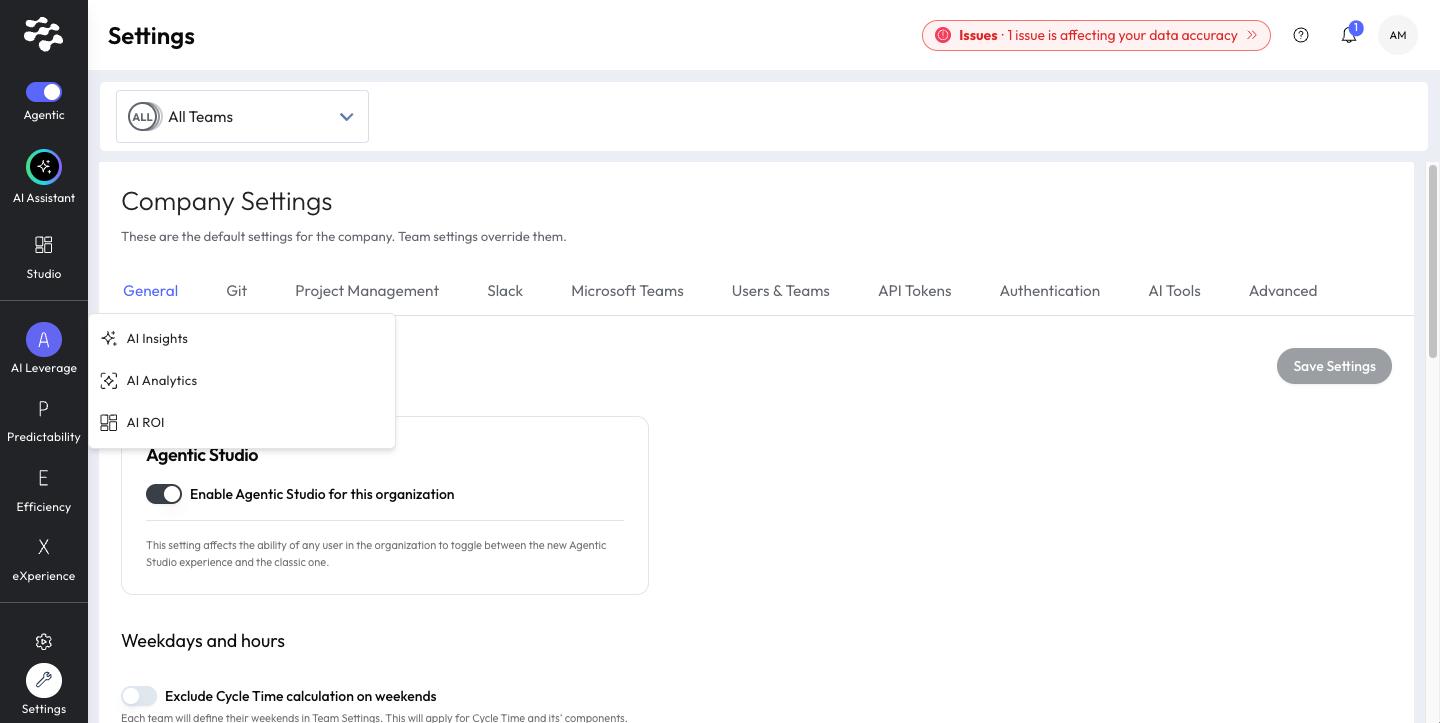
Classic pages inside Agentic Studio
Classic pages open inside the same app: no separate login or window. Your selected team and time period carry over.
Need help with Agentic Studio? Contact support@linearb.io or visit the LinearB Help Center.
How did we do?
