Iterations: Naming Conventions
Learn how Iterations links Git activity (branches, pull requests, and commits) to Jira, Shortcut, or Azure Boards issues using consistent naming conventions to ensure accurate tracking.

Iterations links Git activity (branches, pull requests, and commits) to your project management issues by detecting an issue identifier in the branch name and PR title. Following a consistent naming convention ensures that work is matched correctly and reduces unlinked branches.
Summary
- Include the issue identifier in branch names (recommended) and PR titles (fallback).
- Iterations scans branch names, PR titles, and commit messages for identifiers.
- Use the correct identifier format based on your PM tool: Jira key, Shortcut code, or Azure work item ID.
How Iterations matches Git work to issues
Iterations searches for an issue identifier in:
- Branch names (primary matching source)
- Pull request (PR) titles (used if the branch name doesn’t include the identifier)
- Commit messages (additional reference; not required)
Naming conventions for Jira
To link Git work to Jira issues, include the Jira issue key in the branch name and PR title
(for example, PROJ-123).
Recommended format
<Jira-issue-key>-<descriptive-title>
Examples
| Jira issue key | Task description | Branch name |
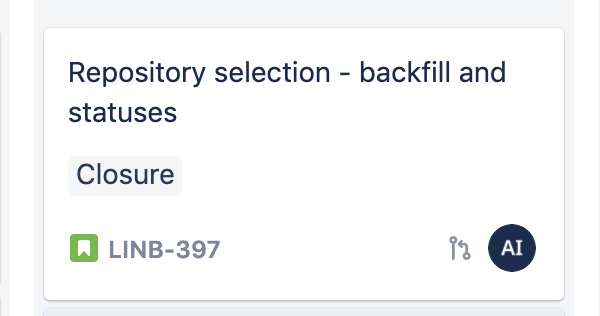
| LINB-397 | Add repository backfill status | LINB-397-add-repository-backfill-status |
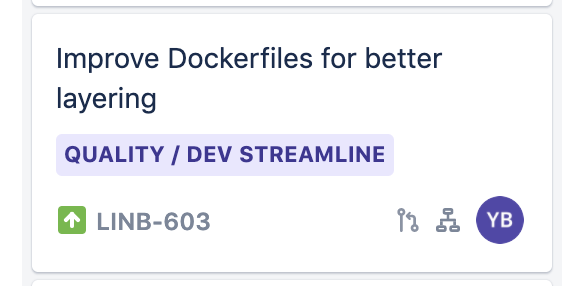
| LINB-603 | Improve Dockerfiles for better layering | LINB-603-improve-dockerfiles-layering |
| LINB-775 | Fix API response handling | LINB-775-fix-api-response-handling |
PR title example
Add repository backfill status (LINB-397)
Handling subtasks
If a parent Jira issue has subtasks, you can include either the parent key or a subtask key in the branch name and PR title.

| Branch name | Linked issue in Iterations |
LINB-603-improve-dockerfiles-layering |
LINB-603 (Parent) |
LINB-775-optimize-docker-image-size |
LINB-775 (Subtask) |
LINB-776-improve-build-caching |
LINB-776 (Subtask) |
Naming conventions for Shortcut
To link Git work to Shortcut issues, include the Shortcut issue code in the branch name and PR title.
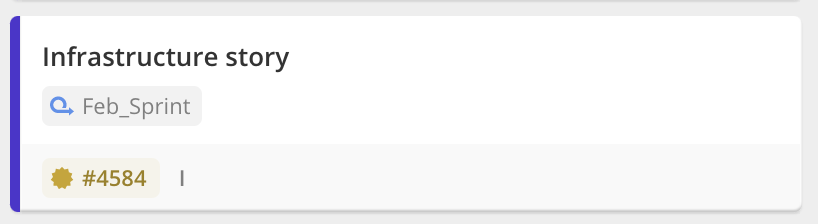
Shortcut issue codes use the prefix ch followed by the numeric issue ID (for example, ch4584).
The prefix is not case-sensitive.
Examples
ch4584-add-repository-backfill-statusch4584-enhance-repository-status-enrichment
Naming conventions for Azure Boards
To link Git work to Azure Boards, include the work item ID (numeric, for example 1234)
in the branch name and PR title. Place the ID at the start of the branch name, followed by a descriptive title.
Recommended format
<work-item-id>-<descriptive-title>
Examples
| Work item ID | Task description | Branch name |
| 1234 | Add user authentication | 1234-add-user-authentication |
| 5678 | Fix login bug | 5678-fix-login-bug |
| 9101 | Improve API performance | 9101-improve-api-performance |
PR title example
Implement user authentication (Work Item 1234)
Best practices
- Always include the identifier when creating a branch (Jira key, Shortcut code, or Azure ID).
- If a branch name was created without the identifier, ensure the PR title contains it before merging.
- Use clear, descriptive titles after the identifier to make branches easy to scan.
- Standardize conventions across repositories and teams to prevent unlinked branches.
How did we do?
Iterations Retroactive View
Teams: Iterations