WorkerB notifications for GitHub Teams
LinearB's WorkerB app can notify a GitHub team of an assigned code review. WorkerB notifications will be sent to up to 5 members of a GitHub team when a code review is requested. By adding a team to…

Updated
by Steven Silverstone
LinearB's WorkerB app can notify a GitHub team of an assigned code review. WorkerB notifications will be sent to up to 5 members of a GitHub team when a code review is requested.
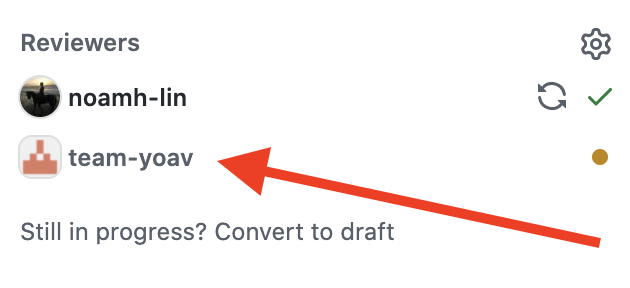
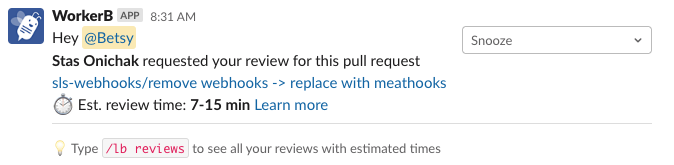
By adding a team to your PR, team members will receive a notification including a link to the PR, and also an estimate of the time it will take to review this code.
Requirements
- GitHub Team members must also be connected to WorkerB to receive notifications.
Anyone can connect to WorkerB by typing
/lb connect in Slack! - For GitHub teams with more than 10 members, WorkerB will try to notify just the first 5 members from the requested team, based on order they were joined to the team.
- For existing customers, this may require reauthenticating LinearB's connection with GitHub (some permissions have been updated in order to view GitHub teams)
- Reauthenticating with Oauth
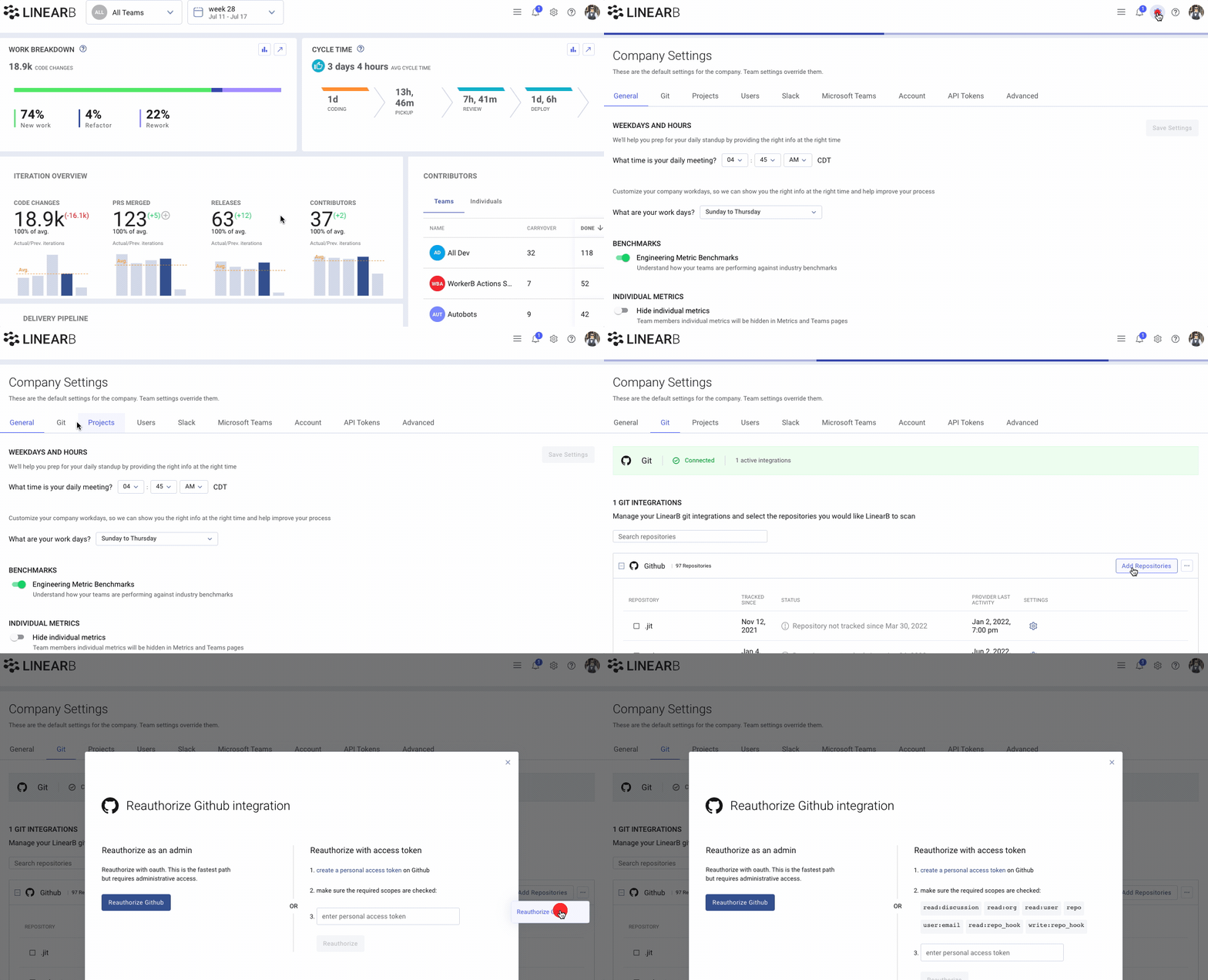
- LinearB admins can reconnect from your LinearB git settings page here. Click on the gear icon and select Company Settings > Git and click the red "Reauthorize Git" button.
- Reauthenticating with a Personal Access Token
- Create a new Personal Access Token for LinearB in your GitHub instance. Make sure to enable the permission for
read:org. Instructions on how to create a PAT can be found here: Connect GitHub with a personal access token
- Create a new Personal Access Token for LinearB in your GitHub instance. Make sure to enable the permission for
- Reauthenticating with Oauth
How did we do?
WorkerB for Microsoft Teams
