Table of Contents
AI Adoption
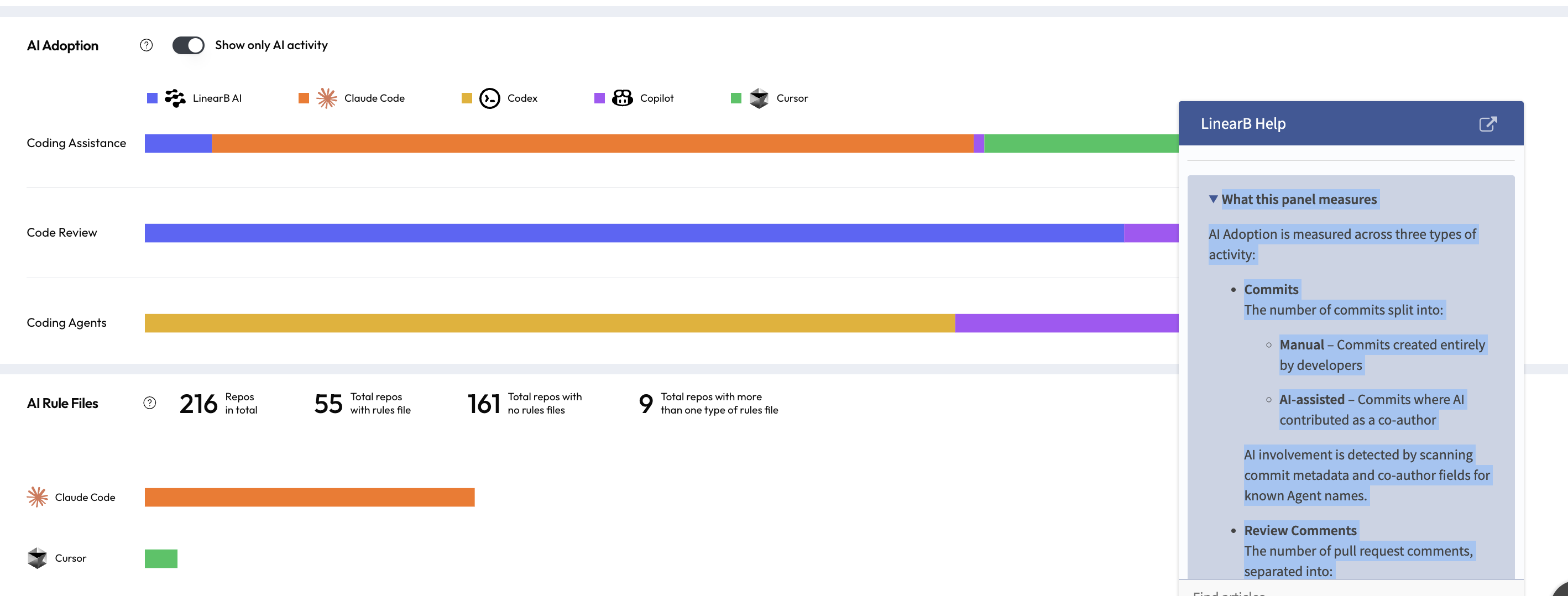
Understand how AI is actually being adopted across your organization. The AI Adoption view shows where AI contributes to commits, code reviews, and pull requests, helping you assess consistency, developer trust, and whether AI is becoming part of everyday development workflows.

Table of Contents
The AI Adoption panel shows how AI tools are being used across your engineering workflow. It breaks down where AI contributes to development activity and helps you understand whether AI is becoming a consistent, measurable part of how your teams work.
What this panel measures
AI Adoption is measured across three types of activity:
- Commits
The number of commits split into:- Manual – Commits created entirely by developers
- AI-assisted – Commits where AI contributed as a co-author
- Review Comments
The number of pull request comments, separated into:- Human-written comments
- AI-generated comments
- PR Authors
The number of unique authors who opened pull requests with AI involvement. This includes PRs opened by Agents or PRs where AI is identified as a co-author or contributor.
Filtering AI activity
At the top of the panel, enable Show only AI activity to filter the view and focus exclusively on AI-assisted actions.
This filter helps answer questions such as:
- How often is AI actively contributing to code changes?
- Is AI primarily used for coding, reviews, or both?
- Which teams or time periods show higher AI involvement?
How to interpret AI Adoption
- A growing share of AI-assisted commits and reviews indicates increasing trust and reliance on AI tools.
- A small number of PR authors with high AI activity may indicate experimentation by early adopters.
- Broad AI adoption across authors suggests AI is becoming embedded in day-to-day development practices.
What’s excluded from these metrics
- Chatbot accounts
- Automation-only bot users
- Non-human system accounts
Excluding these accounts ensures the data reflects real developer activity augmented by AI, rather than background automation.
For questions about AI metrics or how AI activity is detected, contact support@linearb.io or visit the LinearB Help Center .
How did we do?
AI Metrics
